macOS 15+ · Apple Silicon

The Usenet client
macOS deserves.

A native Mac download manager that does one thing well. Drop in an NZB, and it handles the rest — download, verify, repair, extract, done.

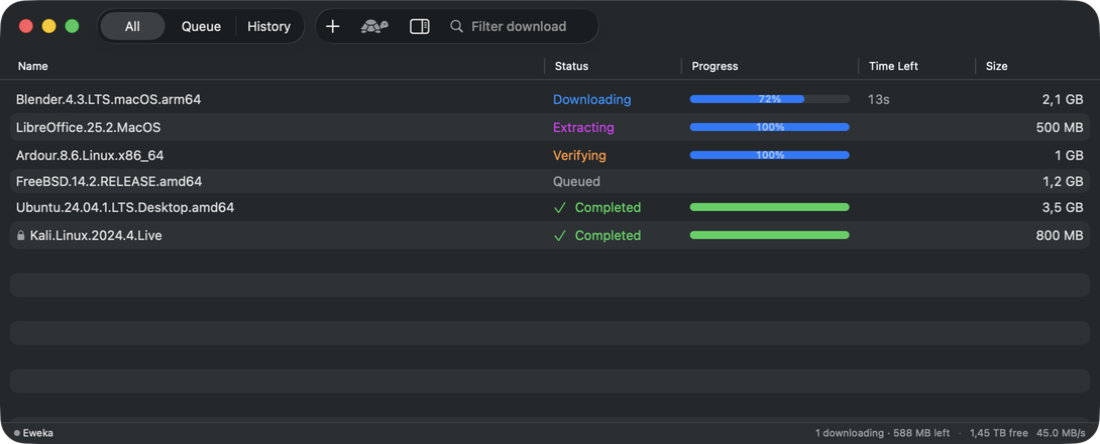
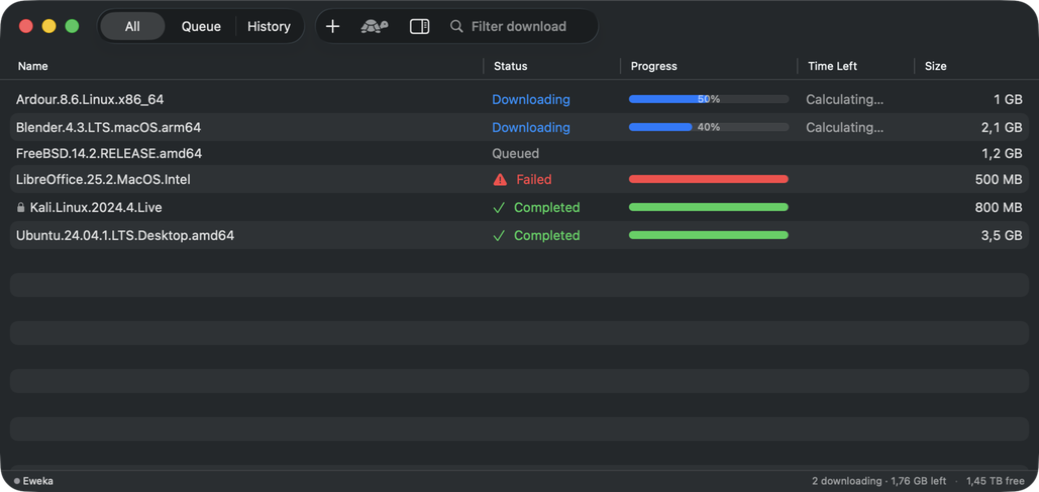
NZBolt main window showing download queue

Simple by design.

No bloated settings. No web server in the background. Just a Mac app that gets out of your way.

Full Pipeline

Drop an NZB and walk away. NZBolt downloads your files, checks them with PAR2, repairs anything damaged, extracts the archives, and puts everything in your destination folder.

Native macOS

A real Mac app. Light and dark mode, keyboard shortcuts, Dock integration, system notifications. Not a browser tab. Not an Electron wrapper.

Smart Recovery

Downloads survive crashes. If the app quits mid-download, it picks up right where it left off. Failed parts retry automatically across all your servers.

Multi-Server

Add primary and backup Usenet servers. Set connection limits and priorities for each. SSL/TLS built in. Credentials stored in your system Keychain.

Speed Control

One click to throttle download speed. Keep NZBolt running in the background without saturating your connection.

Zero Dependencies

No Python. No Java. No web server. One app bundle with everything included — par2, unrar, 7-Zip, all signed and ready to go.

From NZB to files, automatically.

Five stages. No manual steps.

1

Import

Drag and drop, open from Finder, or use a watched folder

2

Download

Fast, parallel downloads from your Usenet servers

3

Verify & Repair

PAR2 integrity check with automatic repair

4

Extract

RAR, 7z, and ZIP — including password-protected

5

Organize

Files moved to your destination folder, temp files cleaned up

See it in action.

Download Queue

Track all your downloads at a glance. Sort by status, progress, speed, or ETA. Active jobs rise to the top. Queue and history are a single click apart.

  • Drag-and-drop NZB import
  • Context menus for pause, retry, reorder
  • Real-time progress and speed
NZBolt
Download queue view
screenshots/queue.png

Job Inspector

Select a job to see exactly what's happening. Pipeline progress as a visual stepper, the full file list, and any errors — all in a slide-out inspector pane.

  • Pipeline stage visualization
  • Per-file status and progress
  • Error details and diagnostics
NZBolt — Inspector
Job inspector view
screenshots/inspector.png

Server Settings

Add unlimited Usenet servers. Test connections inline, configure SSL/TLS, set priorities for primary and backup servers, and manage credentials — all stored securely in your system Keychain.

  • One-click connection testing
  • Primary and backup server priorities
  • Keychain-stored credentials
Settings — Servers
Server settings view
screenshots/settings.png

Engineered for macOS.

No compromises. No wrappers. No web views.

Language
Swift 6

Strict concurrency. Zero data races, enforced at compile time.

Persistence
SwiftData

Crash-proof state management. Downloads resume exactly where they left off.

Networking
Network.framework

Native NNTP client over TLS. No third-party networking libraries.

Architecture
Apple Silicon

arm64 native. No Rosetta translation. Built for M-series Macs.

Decoding
SIMD yEnc

Hardware-accelerated yEnc decoding via compiled C++ module.

Quality
Tested

Unit tests, UI tests, and end-to-end integration tests against real servers.

The native Usenet client I relied on for years stopped being updated.

A decade passed, macOS moved on, and one day it just didn't launch anymore. The alternatives work, but they either need a runtime, run in a browser, or don't feel like a Mac app.

I didn't need a hundred configuration options or a remote API. I just wanted to drop in an NZB file and have it handled. So I built NZBolt — a native Mac app, from scratch, with no compromises. Just a clean app that does one thing well.

NZBolt

Ready to try NZBolt?

Download the app, add your Usenet server. That's it.

Download for Mac Requires macOS 15 Sequoia or later · Apple Silicon